
Description

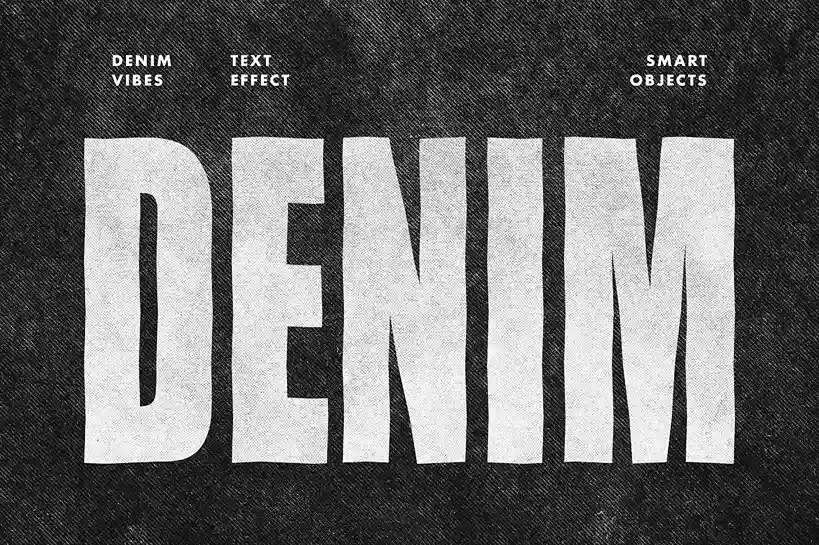
Give your typography a raw, tactile edge with this Premium Denim Grunge Text Effect. Designed to bridge the gap between digital precision and street-ready grit, this PSD asset transforms standard fonts into high-fidelity woven masterpieces.
Every letter is meticulously filled with the authentic interlocking fibers and rugged grain of heavy-duty denim. The effect captures the nuanced “faded” look of vintage indigo, complete with subtle distress marks and texture variations that make your text look like it was stitched directly onto a jacket.
Why This Effect Works
In an era of clean, minimalist design, the Denim Grunge aesthetic stands out by adding weight and character. It’s not just a texture; it’s an attitude. Whether you are aiming for a 90s revival vibe or a modern streetwear aesthetic, this effect provides the “worn-in” feel that audiences crave.
Key Features
-
Authentic Fabric Grain: High-resolution woven textures that maintain clarity even in large-scale prints.
-
Streetwear-Ready Aesthetic: Perfect for brands that lean into rugged, urban, and rebellious styles.
-
Fully Editable PSD: Built with smart objects, allowing you to swap out text or change fonts in seconds while preserving the denim depth.
-
Faded Surface Realism: Includes realistic highlights and shadows to mimic the natural wear-and-tear of denim fabric.
Best Use Cases
This versatile text effect is engineered for creators working across the fashion and lifestyle sectors:
-
Apparel Branding: Design bold logos for denim-focused clothing lines.
-
Fashion Campaigns: Create striking headlines for lookbook covers.
-
Merchandise Graphics: Craft unique visuals for tote bags and hoodies.
-
Social Media Visuals: Elevate your Instagram feed with high-impact typography.
How to Use the Denim Grunge Text Effect
-
Open the File: Load the
.psdfile in Adobe Photoshop. -
Locate Smart Object: Find the layer named “Edit Text Here” and double-click the thumbnail.
-
Replace & Save: Type your text or paste your logo in the new tab. Hit Save ($Ctrl+S$ or $Cmd+S$).
-
Instant Result: Return to the main document to see your design fully textured with denim grain.

Reviews
There are no reviews yet.